Audit Log
The Audit Log provides a complete trail of all analyst and admin actions within RhythmX. Every login, search, configuration change, investigation, and case action is recorded for accountability and compliance.
From the Security Control Center, click the Audit Log option, or access it from the admin navigation.
Overview
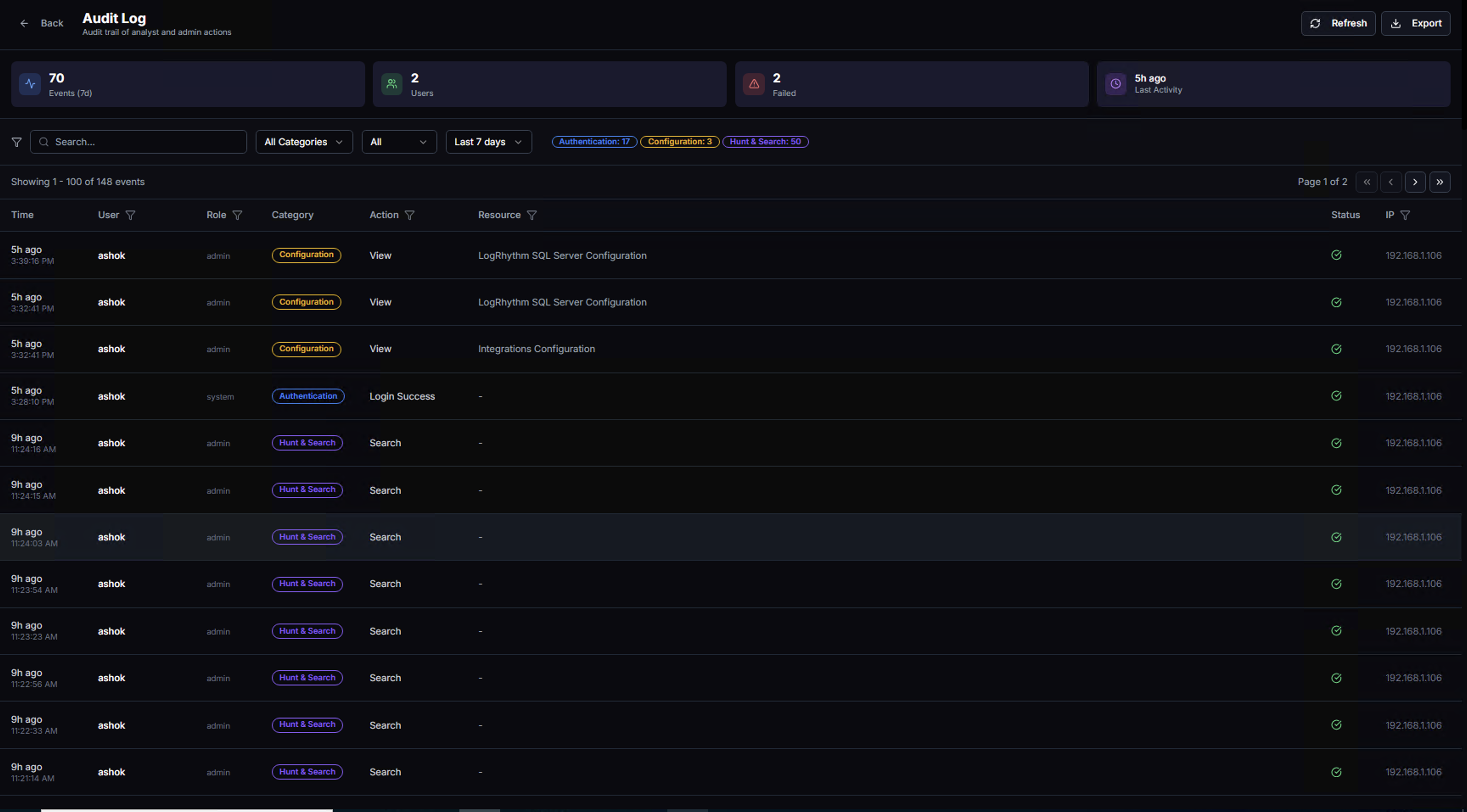
The top bar displays summary KPIs for the selected time range:
| KPI | Description |
|---|---|
| Events | Total number of audit events recorded |
| Users | Number of unique users who performed actions |
| Failed | Number of failed actions (e.g., failed logins, permission denials) |
| Last Activity | How recently the most recent action occurred |
Active category filters are shown as chips below the search bar (e.g., Authentication, Configuration, Hunt & Search), indicating which event types are currently displayed.
Audit Event Table
Each audit event shows:
| Column | Description |
|---|---|
| Time | When the action occurred (relative and absolute timestamps) |
| User | The user who performed the action |
| Role | The user's role (admin, system, analyst) |
| Category | The type of action — color-coded badges for quick identification |
| Action | What was done (e.g., View, Search, Login Success) |
| Resource | What was accessed or modified (e.g., LogRhythm SQL Server Configuration, Integrations Configuration) |
| Status | Success or failure indicator |
| IP | The IP address from which the action was performed |
Filtering & Search
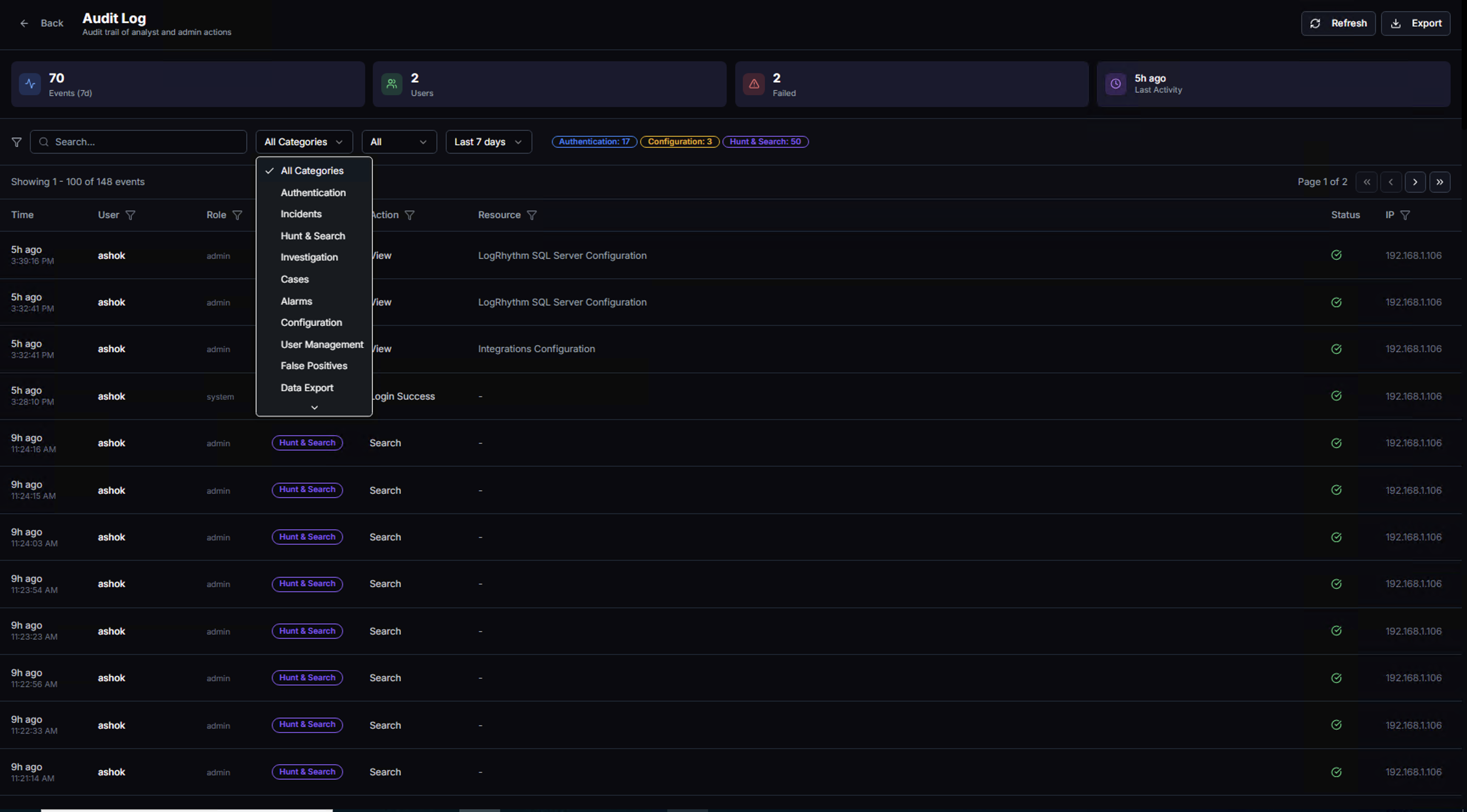
Use the All Categories dropdown to filter by event type:
| Category | What It Tracks |
|---|---|
| Authentication | Login attempts, logouts, session activity |
| Incidents | Incident creation, updates, and resolution |
| Hunt & Search | Threat hunting queries and search operations |
| Investigation | Investigation drill-downs and entity analysis |
| Cases | Case creation, assignment, status changes |
| Alarms | Alarm acknowledgment and management |
| Configuration | System settings changes (integrations, clusters, LDAP) |
| User Management | User creation, role changes, account modifications |
| False Positives | False positive rule creation, deletion, and approval |
| Data Export | Report generation and data export actions |
Additional filters:
- Search bar — Free-text search across all event fields
- All (Role filter) — Filter by user role
- Time range — Adjust the time window (e.g., Last 7 days)
Event Details
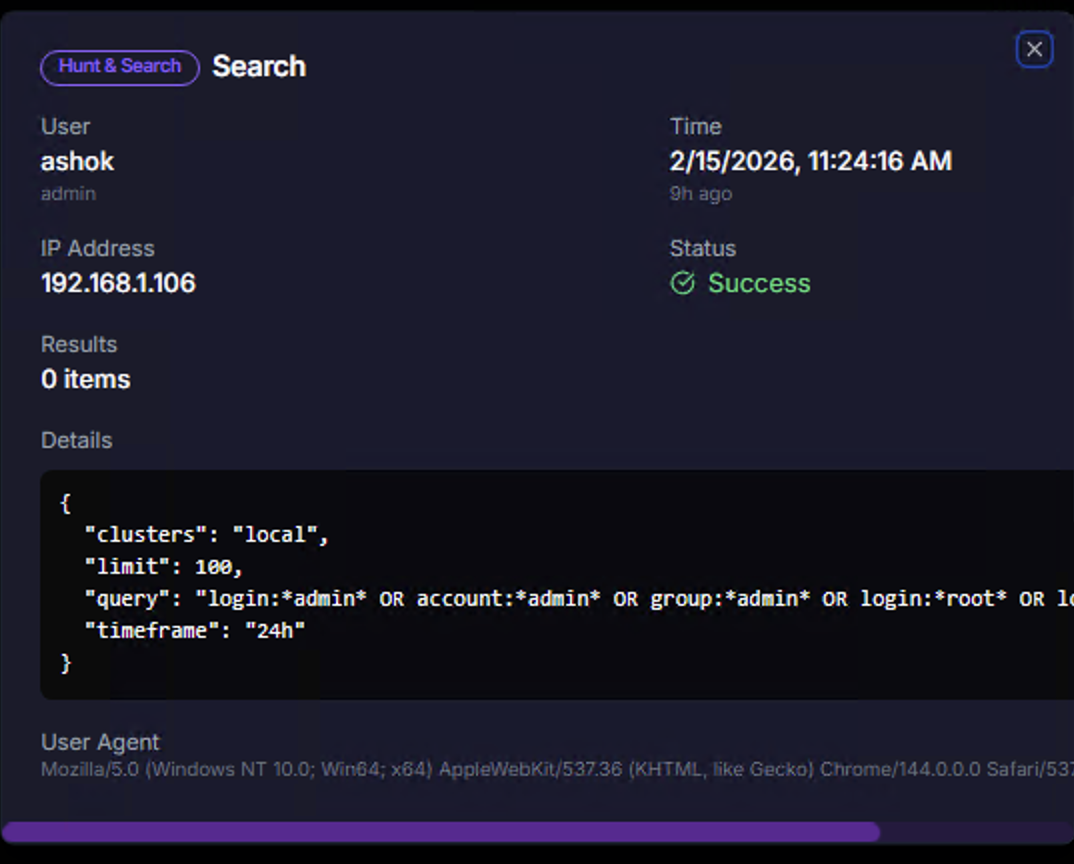
Click on any audit event row to view the full details:
| Field | Description |
|---|---|
| Category badge | The event category (e.g., Hunt & Search) |
| Action | The specific action performed (e.g., Search) |
| User | Who performed the action, with their role |
| Time | Exact timestamp with relative time |
| IP Address | Source IP of the action |
| Status | Success or failure with visual indicator |
| Results | Number of items returned (for search operations) |
| Details | The full request payload — for Hunt & Search events, this includes the query JSON with clusters, limit, query string, and timeframe |
| User Agent | Browser and OS information for the session |
The Details section is particularly valuable for audit and compliance — it shows exactly what query was run, what parameters were used, and what data was accessed.